
Onsite Recovery Hub
Follow your fire billing in Recovery Hub.
Submit an incident, check a claim, or open a report for the next meeting. Recovery Hub keeps your department’s billing records together while our team works with the insurance companies.
Incident submissions
Forms built for the call you answered.
An auto incident needs different details from a water rescue. Each submission form asks for the information relevant to that response, with supporting files kept alongside the incident.
Response documentation
Use your existing incident records to enter the response details, resources used, and available insurance information. We ask for what our billing team needs.
Supporting files
Keep reports, photographs, and other supporting files with the claim, so the records are available when our team reviews it.
2
09/18/2026
14:25
Engine 1 and a captain responded to a two-vehicle collision at 125 Example Road. Crews secured the scene, used extrication tools to free an occupant, applied two bags of sorbent, and cleared debris. The response lasted one hour. No vehicle fire, air evacuation, or mutual aid was involved.
Claim activity
Know where a claim stands.
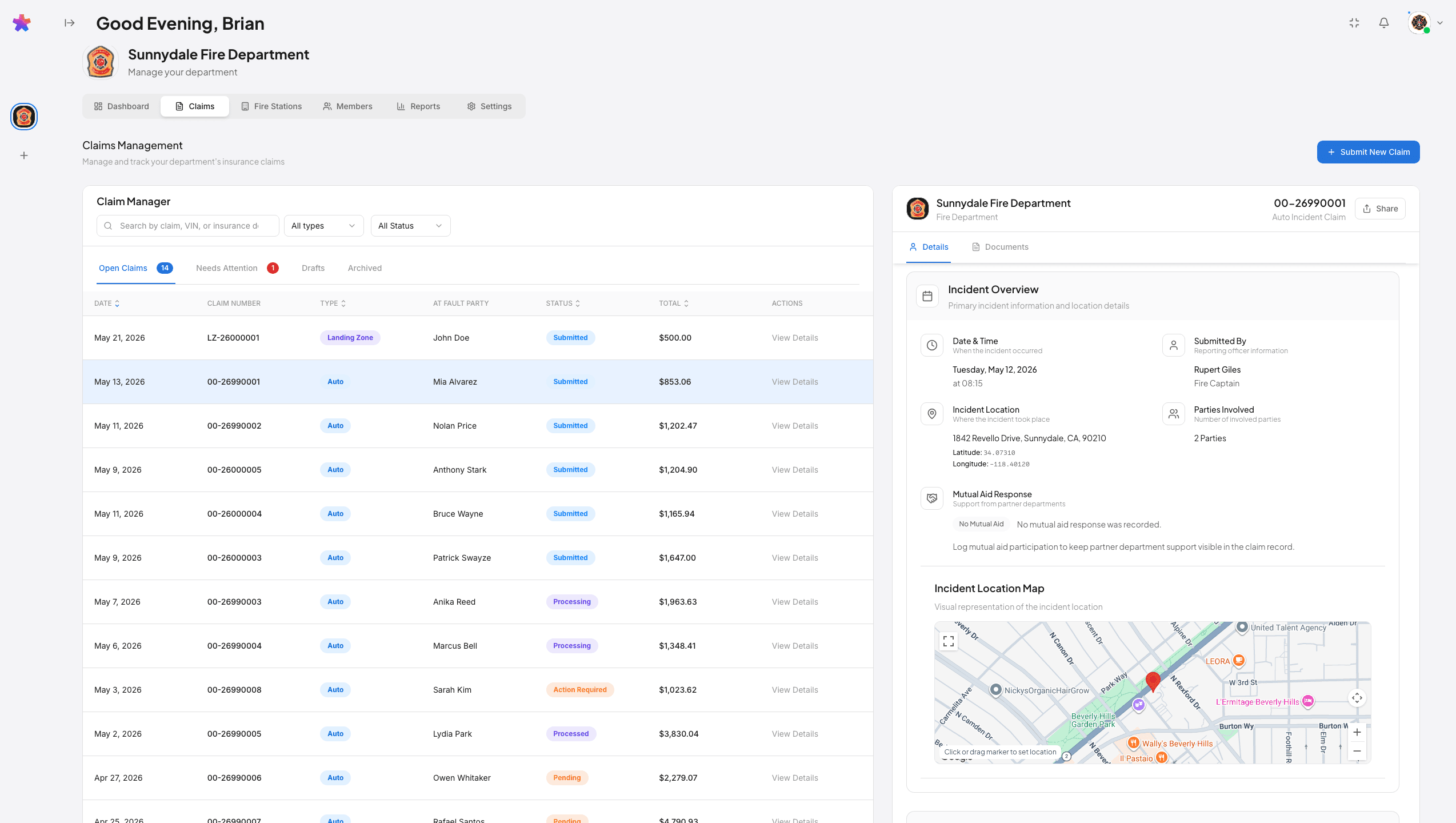
Check the claim record to see how the billing has progressed. These common statuses tell your team what has happened so far.
Onsite records the progress as our team handles the claim. An open amount is still being pursued; it is not money already received.
Submitted
The incident has been submitted for review.
Pending
The invoice has been sent and the claim remains in progress.
Paid
An insurer payment has been recorded.
Completed
The department payment has been issued.
Recovery Hub’s reporting page, with a monthly statement, claim statuses, and payment totals. Figures are sample data.
Department reporting
Open the report your team needs.
Department reports
Choose a reporting period to review claims, billed amounts, recovered revenue, and the monthly statement.
CSV exports and PDF infographics
Export the data for your own review, or print and save a monthly infographic as a PDF to share at a meeting.
The reports distinguish billing activity from recovered funds, fees, and the department’s share. Finance can use them alongside the department’s own payment records.
Included with Onsite’s billing service
You get a billing team with the software.
Our team reviews your submissions, prepares the insurance billing, and follows up with carriers. Recovery Hub lets your staff see that work without taking it on themselves.
Your department provides the incident facts and answers questions about the response when we need them. We bill insurance companies only. If a carrier denies a claim, we never send the bill to an individual.
Recovery Hub is included with Onsite’s billing service. We set up access around each staff member’s responsibilities.
Can finance staff access the reports?
Access depends on the department’s user permissions. Discuss who needs to review claims and reports during setup so access fits the department’s responsibilities.
Does Recovery Hub replace our incident reporting system?
No. Your department remains responsible for its incident records. Recovery Hub brings submitted information into the insurance billing and recovery workflow.
Can we see it before starting?
Yes. Request a platform demo through the contact form. Bring the questions your chiefs, administrators, and finance staff need answered.
Talk with Onsite
Let’s show you around Recovery Hub.
Bring the questions your staff need answered. We’ll walk through a submission, show you how claims are tracked, and explain the reports included with our service.